
User Profile: Managing Your Personal Information
User Menu > Settings > User Settings: User Profile
Your User Profile contains your personal account information within Buildend. Keeping your profile up to date helps ensure other team members can easily identify and contact you, while also maintaining accurate user information across the platform.
You can view and update your profile information at any time, depending on your organization's permissions and configuration.
Table of Contents
What Your User Profile Includes
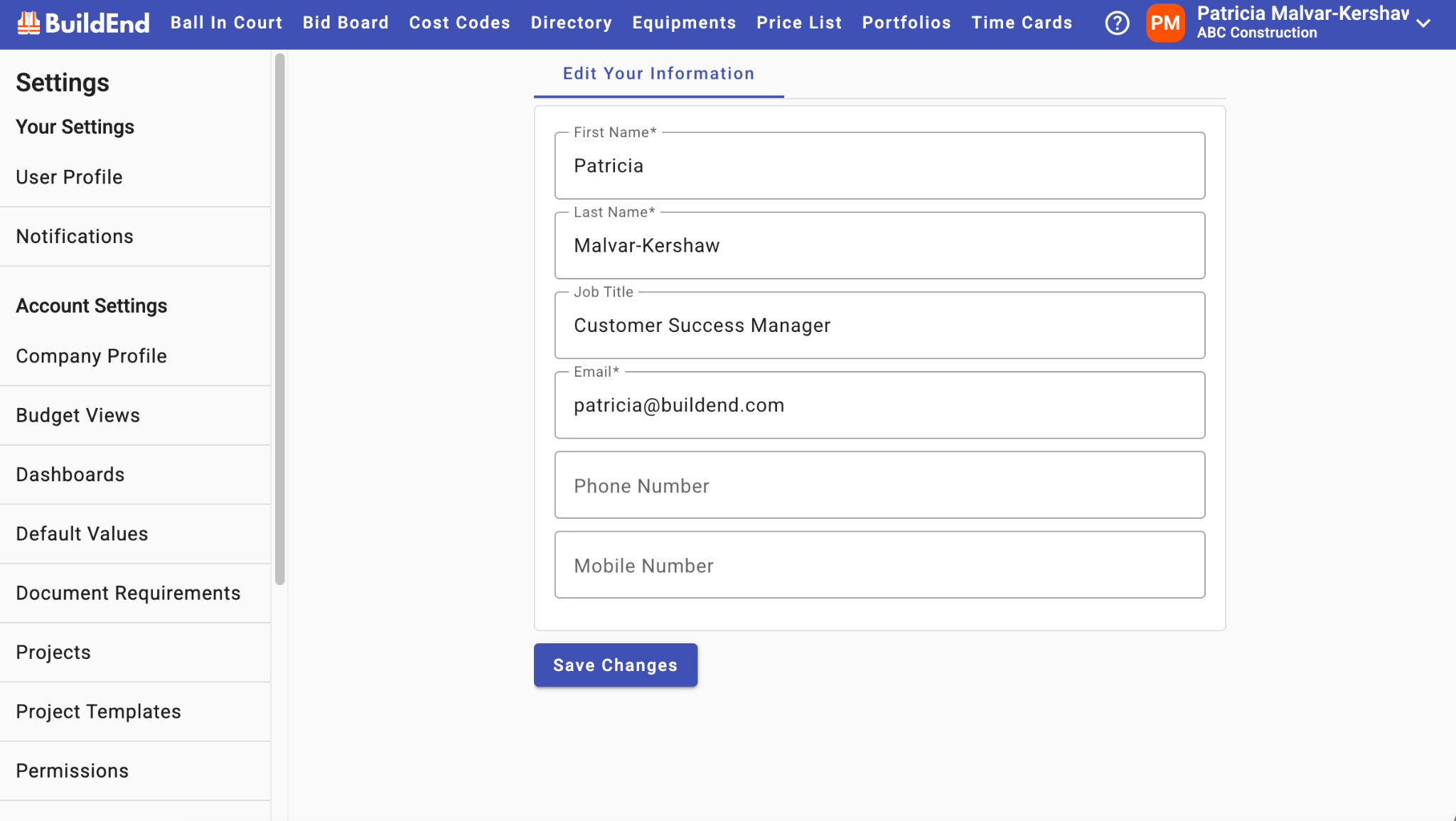
Your User Profile contains information specific to your user account. You’ll find the following fields:
- First Name
- Last Name
- Job Title
- Optional
- Email Address
- This field is locked by default. Your email address is used to sign in to Buildend and serves as the unique identifier for your account. Because of this, it cannot be changed from your User Profile.
- Phone Number
- Optional
- Mobile Number
- Optional
This information helps identify you within Buildend and may be displayed throughout the platform, including in directories, project records, comments, approvals, and other areas where user activity is tracked.
Updating Your User Profile
Follow the steps below to update your profile information.
Step-by-Step Guide
1. Go to User Menu → Settings → User Profile
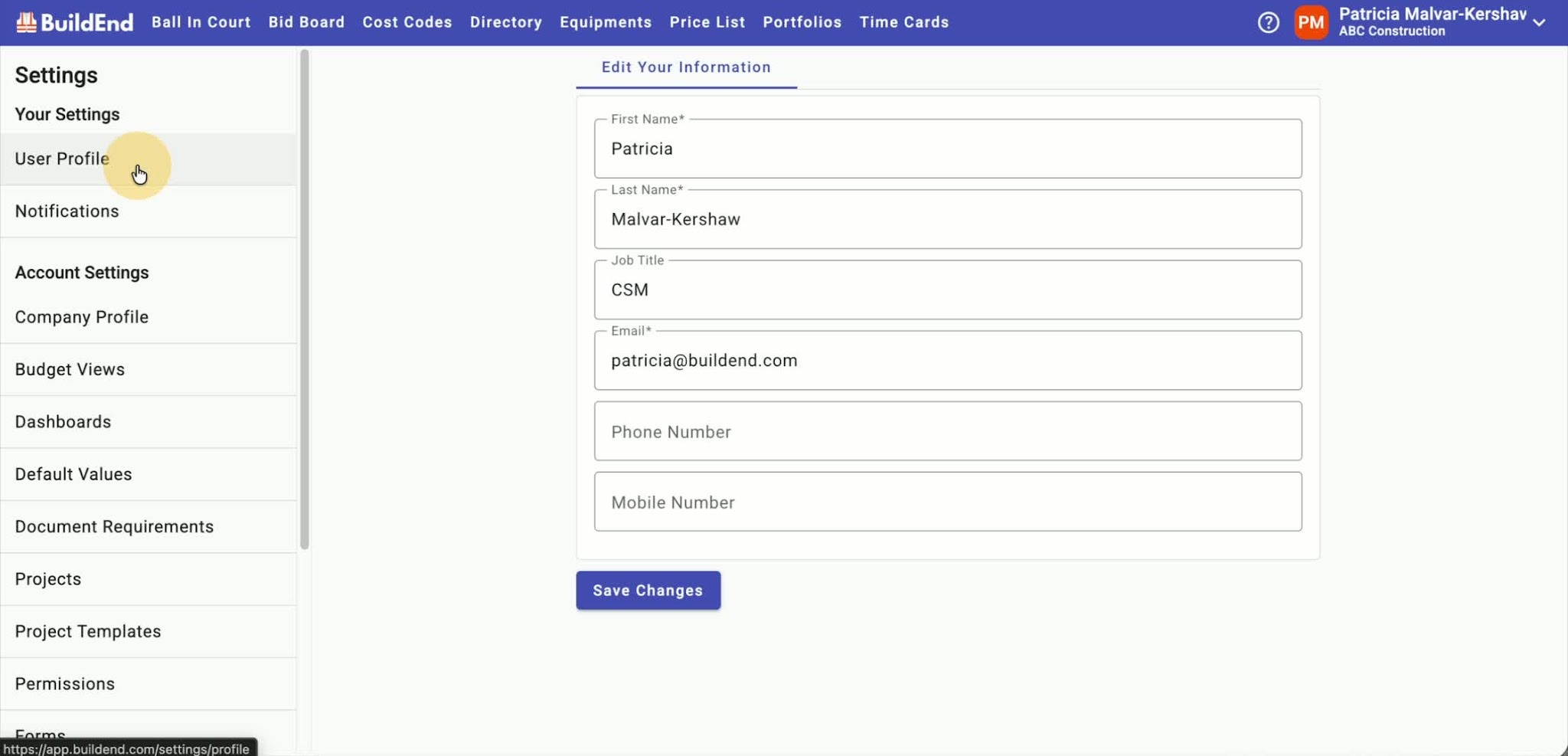
- In the top-right corner of Buildend, open the User menu.
- Select Settings to go to the account settings area.
- This takes you directly to your user profile page.
- Alternatively, if you’re already in Settings you can click on User Profile in the left menu
2. Edit the Profile Fields You Want to Change
- Update any available profile details, such as:
- First Name
- Last Name
- Job Title
- Phone Number
- Mobile Number
4. Save Your Changes
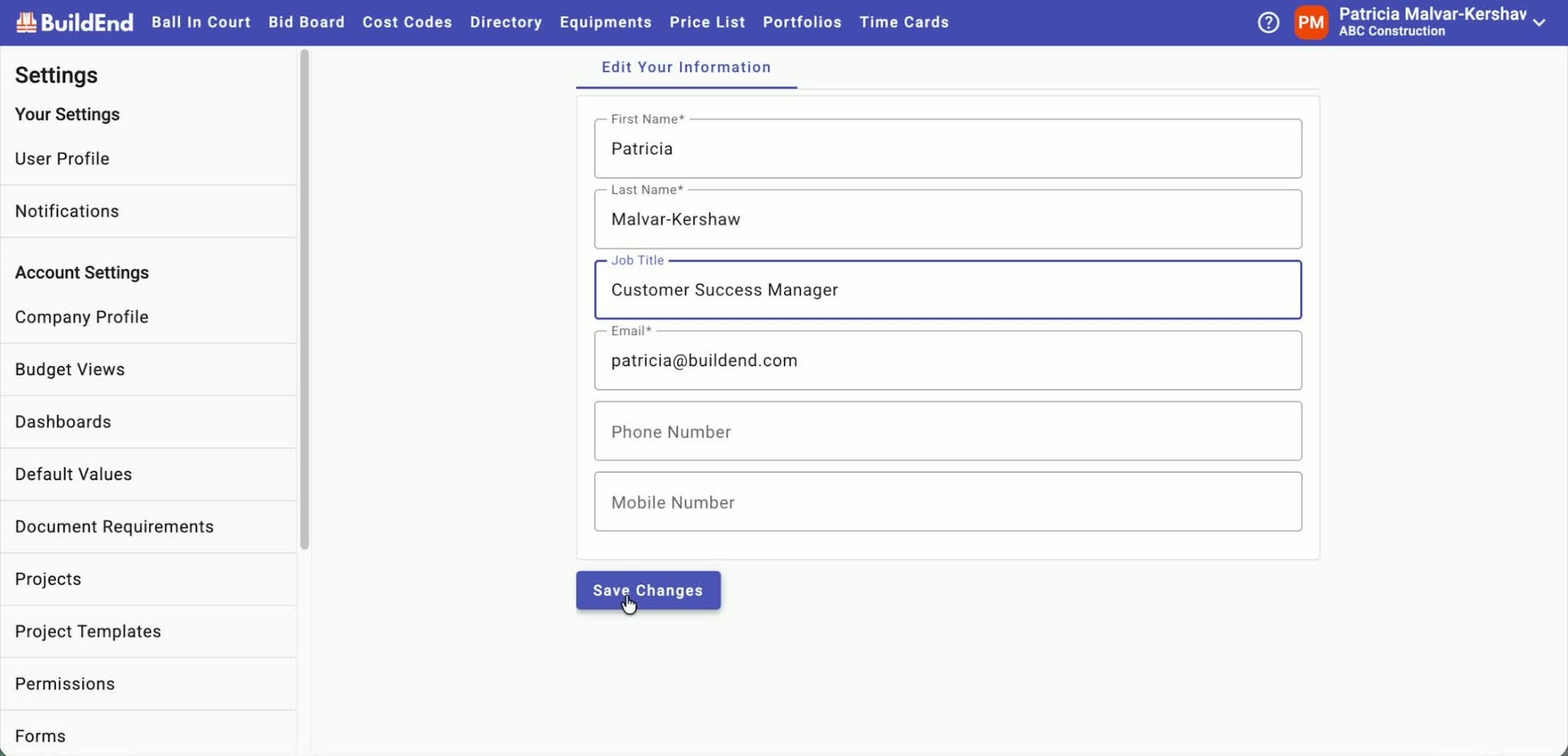
- Click Save Changes to apply your updates.
- Your profile information will be updated across Buildend wherever it appears.
Training Video
Best Practices
- Keep your contact information current so team members can reach you when needed.
Still Need Help?
Not to worry! If you're having trouble completing these steps or something isn't working as expected, reach out to our Support Team at support@buildend.com ✌️