
Changing a User's Project Permissions
Project > Users
Update a user's Project Permission Role when their level of access to a project changes.
Table of Contents
Overview
As project responsibilities change, users may require different levels of access within a project.
Changing a user's Project Permission Role updates what they can view and do within the project without removing and re-adding them.
📝 Note: Project Permissions determine what a user can access within a project. They do not determine workflow responsibilities. Users who participate in project workflows may also require a Project Team Role.
Step-by-Step Guide
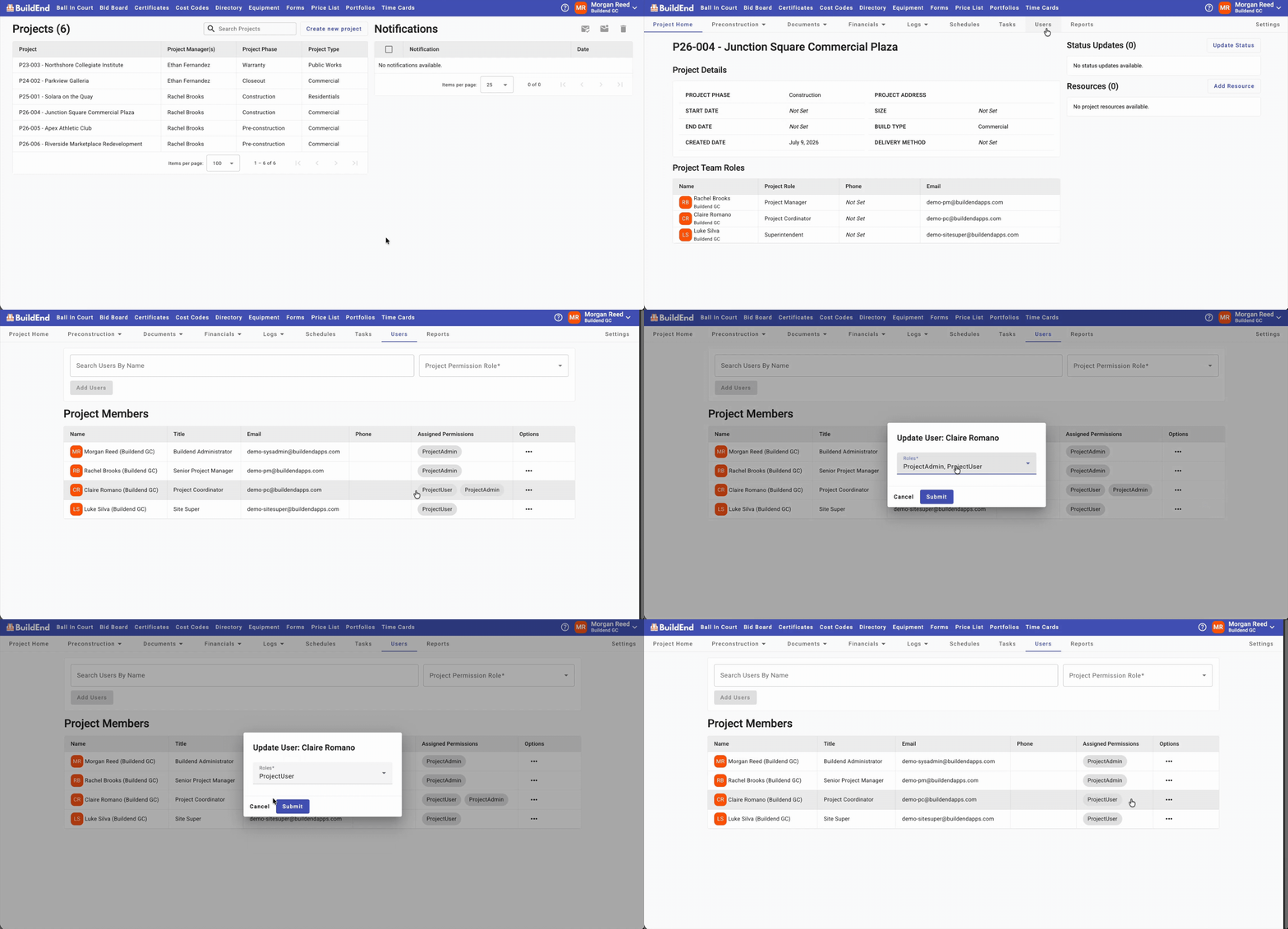
- Open the project.
- Go to the Users tab.
- Find the user you want to update in the table.
- Click the ellipsis (⋯) in the Options column, then select Edit Permission Roles.
- Select or clear the appropriate Project Permission Role(s), then click Submit.
The updated permissions take effect immediately.
Action Clip
Still need help?
Not to worry! If you’re having trouble completing these steps or something isn’t working as expected, reach out to our support team at support@buildend.com ✌️